
All Categories
All A/B Testing (10) Accounting (18) Advertising (29) Affiliate Tracking (10) Analytics (58) Android (5) Apple Watch (2) Artificial Intelligence (754) Audio (45) Augmented Reality (2) Automation Tools (61) Blogging (23) Books (12) Bots (8) Branding (9) Browser Extensions (20) Building Products (42) Business Intelligence (33) Calendar (5) Careers (25) Chatbots (28) Chrome Extensions (18) Cloud Computing (4) Cloud Infrastructure (7) CMS (5) Collaboration (13) Communities (26) Content Creators (41) Cooking (2) Crypto (8) Customer Support (13) Data Visualization (17) Databases (18) Dating (11) Design (311) Developer APIs (29) Developer Tools (172) Directories (133) E-Commerce (40) Education (85) Email (28) Entertainment (72) Feedback Tools (17) Finance (63) Fintech (18) Form Builders (8) Freelancers (6) Games (112) Google Cloud (1) Health (71) Hiring (20) Home Inventory (5) Image Recognition (96) Interior Design (17) Investing (13) iOS (21) Journaling (4) Knowledge Management (6) Launching (37) Lead Generation (15) Legal (18) Mac (9) Machine Learning (4) Market Research (11) Marketing (133) Marketplaces (12) Meeting Software (4) Monetization (4) Monitoring (17) Motion Design (3) Music (34) News (8) No Code (19) Note Taking (5) Notion (4) Online Learning (8) Open Source (12) Optimization (6) Parenting (7) Payments (3) Performance Monitoring (3) Photography (69) Podcasting (1) Privacy (9) Productivity (315) Productized Services (7) Project Management (12) Reading (3) Recruiting (14) Reddit (2) Reduce Costs (4) Remote Work (8) Restaurants (2) SaaS Boilerplates (34) Sales (19) Scrapers (5) Screenshots (4) Search (10) Security (17) SEO (93) Ship Fast (8) Social Media (78) Speech Recognition (5) Stable Diffusion (2) Storage (1) Task Management (8) Testimonials (3) To Do Lists (1) Trading (3) Translation (12) Travel (30) User Experience (5) Video (230) Video Editing (46) Voice (15) Web Hosting (8) Web3 (4) Website Builders (24) Writing (47)
Supashot
Use Tool

Supashot

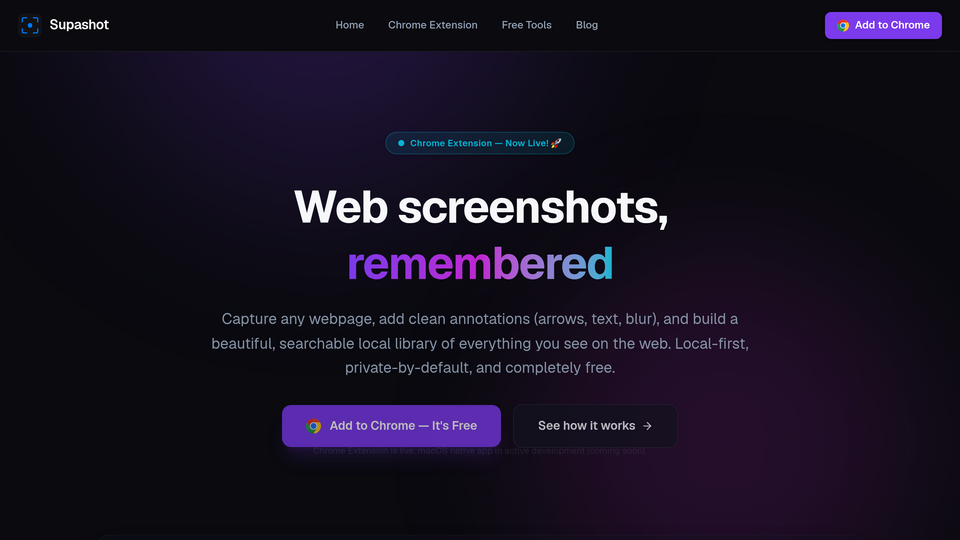
Webpage Screenshot, Annotation & Screen Capture

Screenshot tool for Chrome: capture regions & visible areas, annotate images, copy—all stored locally on device. No signup.

Supashot helps you grab part of any webpage, mark it up, and paste it where you need it — without switching tools or leaving Chrome.

Capture the way you work

Region (default) — drag a box on the page to capture exactly what you need.
Visible area — screenshot what’s currently on screen.
Full page — capture a scrollable page when supported.
Keyboard shortcuts

Capture region: ⌘⇧S (Mac) / Ctrl+Shift+S (Windows, Linux)
Capture visible area: ⌘⇧V / Ctrl+Shift+V
Open library: ⌘⇧L / Ctrl+Shift+L
Shortcuts can be changed in chrome://extensions/shortcuts.

Annotate and share After capture, open the editor to add arrows, rectangles, text, freehand drawing, pixel blur, and crop. Undo a step if you need to, then Copy & close to paste into Slack, email, docs, or tickets.

Your screenshot library Recent captures appear in the toolbar popup. Star favorites, search by page title, and open the full library page to browse history. Export or import a ZIP backup from Settings.

Private by default Screenshots are stored locally in your browser on this device. Supashot does not upload your images to our servers. No account or sign-in is required.

Visit Website

Related tools

AMZ Cart Share
AMZ Cart Share

Share your Amazon cart in 1 click!

Bookmark It.
Bookmark It.

Bookmark manager for the modern web

PeekFocus
PeekFocus

Peek Link, Keep Focus: open your link without new tab

AttendList
AttendList

Google Meet Attendance Tracker

DirsHunt Ext
DirsHunt Ext

AI-powered product analysis and one-click form filling for product directories.

JSON to Table & Excel

Free online JSON to table converter tool. Instantly convert your JSON data into an table, do

Submit your Tool

Publish your website on Twelve.Tools and get a DR 81 dofollow backlink to boost your SEO

Submit Now