
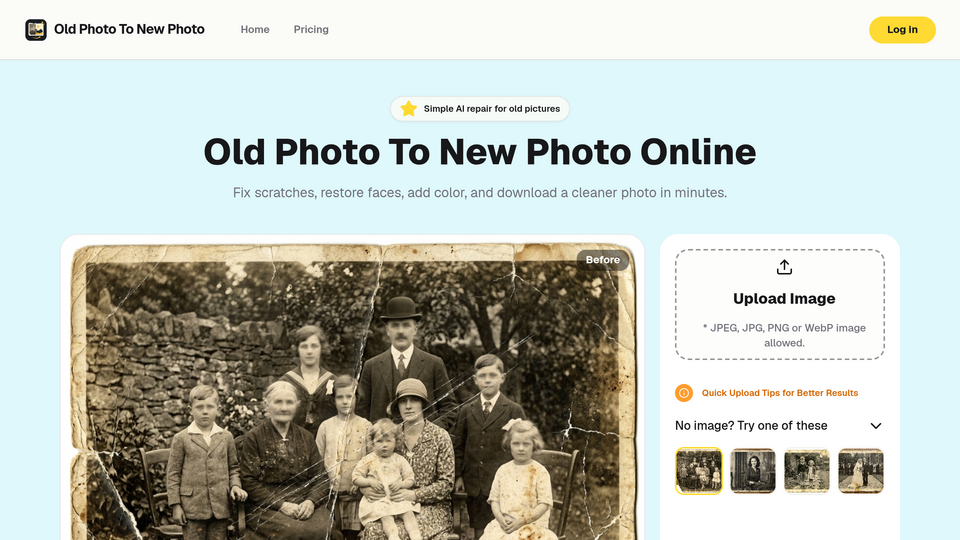
About this tool
Old Photo To New Photo: The Easiest Way to Restore Your Family Memories with AI
Every family has that box. The one in the attic, under the bed, or tucked in a closet — filled with photographs that have survived decades of sunlight, humidity, and time itself. Faded portraits. Cracked prints. Black-and-white snapshots of people you barely recognize anymore. These aren't just pictures. They're your history.
The problem? Restoring them used to mean hiring a professional retoucher, spending hours in Photoshop, or simply accepting that the damage was permanent.
That's changing fast. AI photo restoration has gone from a niche archival tool to something anyone can use in a browser — and the results are getting remarkably good.
Why Old Photos Deteriorate (And Why It Matters)
Old photos don't just "get old." They carry the physical scars of decades:
Scratches and creases from being stored in albums, wallets, or loose drawers
Fading and yellowing caused by UV light, humidity, and chemical breakdown of photo paper
Stains and water damage from floods, spills, or basement storage
Torn corners and missing pieces from rough handling over generations
Blur and softness from original camera limitations or motion during capture
Each of these problems used to require a different manual technique. Now, a single AI pipeline can handle all of them at once.
The AI Photo Restoration Market in 2026
The demand is real and growing. The AI image enhancer market grew from $2.45 billion in 2025 to $2.83 billion in 2026 at a 15.7% CAGR, with high-resolution image restoration identified as one of the five major trends driving the market forward. Major players like Adobe, Tencent, NVIDIA, and Topaz Labs are all competing in this space, but the real shift is happening at the consumer level — where web-based tools are making professional-grade restoration accessible to everyone.
What Makes a Good AI Photo Restoration Tool?
Not all AI restoration is created equal. The most common complaint users have after trying generic AI tools is that the result looks "clean but wrong" — faces become too smooth, colors look artificial, and the person in the photo no longer looks like the person you remember.
A quality restoration tool needs to balance three things:
Damage repair — Remove scratches, stains, and physical artifacts without erasing texture
Natural colorization — Add believable color to black-and-white photos, not oversaturated "AI gloss"
Identity preservation — Enhance faces and details while keeping the person recognizable
Introducing Old Photo To New Photo
How It Works
Upload — Drop in a scanned print, a phone photo of an album page, or any old image
AI Processing — The tool automatically detects damage, color, blur, and faces
Preview & Compare — See the before-and-after side by side
Download — Save the restored image for sharing, printing, or archiving
No software to install. No layers, masks, or manual retouching. The entire workflow happens in your browser.
Why It Stands Out
Realistic results — The tool is specifically tuned to avoid the "plastic" look common in over-processed AI restorations. Faces stay natural, skin tones stay calm, and the photo still feels like a photo.
Fast turnaround — Process one photo or batch-test several damaged images without spending hours per image
No learning curve — If you can upload a file, you can restore a photo
Use Cases
Family historians digitizing photo albums for the next generation
Genealogy researchers cleaning up scanned archive images
Anyone who found a damaged photo of a grandparent and wants to see their face clearly again
Related tools






Submit your Tool
Publish your website on Twelve.Tools and get a DR 82 dofollow backlink to boost your SEO
Submit Now